SENSEX
NIFTY
GOLD
USD/INR

Weather

image 27    C

Top News News

Macworld

Top News / Macworld

details

Best USB-C hubs and adapters for Mac 2026

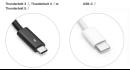
Macworld USB-C and its Thunderbolt variant are the most up-to-date standards of the USB connector. They allow data-transfer speeds of up to 80Gbps, can fast-charge devices up to 240W, and conveniently fit in a port either way upwhich means that you can wave bye-bye to the age-old USB guessing game of Which way does it go in?. USB-C is no one-trick ponyhandling data transfer, video output and power input.Youll find faster variants of USB-C (called Thunderbolt 3, 4 or 5) on Macs. Each version of Thunderbolt is backwards compatible with USB-C so the adapters reviewed here will all work with modern Macsfrom the MacBooks Neo, Air and Pro, through to the desktop iMac, Mac mini and Studio. USB-Cs 5-10Gbps speeds will limit some of Thunderbolts more impressive 40 to 80Gbps potential but for most people even 5Gbps is fast enough. If super-fast data transfer is one of your requirements, a number of hubs reviewed below do use Thunderbolt or 40Gbps USB4. Find out more in our Thunderbolt 5 vs Thunderbolt 4 vs Thunderbolt 3 comparison and also our chart at the end showing all the ports of Apples recent Macs. Apple In general, an adapter works with a single port (such as USB-A or Ethernet) while a hub gives you multiple ports. If you require even more, then look for a docking station or dock . Docks usually come with their own power supply, while hubs require a separate USB-C charger if you need a power source. If youre after a fulldesktop setup for your MacBook, look out for our recommendations for the best USB-C and Thunderbolt docking stations for MacBooks . Apple sells its own range of USB-C adapters to HDMI, VGA and more, but they are overpriced and underpowered compared to the premium USB-C hubs and adapters we have reviewed here. We havent included the many much cheaper but lower-quality versions you can find online as we recommend only from trusted and tested makers. Look for each hubs video capability for connecting to external displays . Most support only one monitor, but some offer twonote that more than two usually requires an extra software install. Passthrough power will likely also be of interest to MacBook users. 60W Power Delivery (PD) will work even for the 16-inch MacBook Pro (just), but more watts equals a faster charge. Note that the ports on the MacBook Neo are USB-C and only one of them is properly data-ready at 10Gbps, with the other just for charging. Read more on how the MacBook Neos USB-C ports are different . As it has just one data port, a USB-C hub becomes a must for expanding the Neos potentialread our roundup of the best MacBook Neo accessories . Below the list of our favorite USB hubs and adapters, we describe the types of ports you might require from a hub and what to look for in each. Plugable 9-in-1 USB-C Hub Multiport Adapter Best overall USB-C hub Pros 9 ports inc Ethernet, 60Hz 4K display via HDMI 10Gbps USB-C and USB-A 125W Power Delivery (PD) Price When Reviewed: $49.95 Best Prices Today: Retailer Price $49.95 View Deal $49.95 View Deal $49.95 View Deal $49.95 View Deal $49.95 View Deal $69.99 View Deal Price comparison from over 24,000 stores worldwide View more prices 9 Ports: 2x USB-C, 3x USB-A, HDMI, Gigabit Ethernet, UHS-II SD Card Reader, UHS-II MicroSD Card Reader Monitors: 1x 4K/60Hz via HDMI Passthrough power: 125W USB-C speed to Mac: 10Gbps This 9-in-1 hub is bristling with top-end ports andwith an unrivaled 125W of laptop passthrough poweris a great match for larger laptops. A seven-inch cable connects the hub to your MacBook at 10Gbps and a possible 125W passthrough charging when the hub is connected to a powerful enough USB-C chargerthats the highest passthrough charging weve seen in a USB-C hub. Total power output from the hub to laptop and devices is 140W. Theres one dedicated 10Gbps USB-C data port, HDMI 2.0 port with 4K 60Hz support, and both SD and MicroSD card readers at fast UHS-II media-transfer speeds. If you need to attach legacy devices there are two USB-A ports, also at 10Gbps. One of these can drive 7.5W of power to the connected device. Theres also a much slower 480Mbps USB 2.0 port that good for a memory stick or mouse/keyboard. With its extra USB-A port and faster SD card readers, the 9-in-1 Plugable USB-C Hub beats our long-time USB-C hub champ, the Anker 555 8-in-1 USB-C Hub , reviewed below. If you prefer DisplayPort to HDMI the Anker 565 should be considered even with its slower card readers. Plugable has recently released an even more capable version, the 10-port USBC-10IN1E , reviewed below. that is very similar to the 9-port hub but with 2.5Gb Ethernet and support for a single external display at up to 8K/30Hz, with the option of 4K/144Hz. Choose this model if you need the more pro-level ports, but its still a 10Gbps hub. Keep reading if you need a 40Gbps hub. CalDigit Thunderbolt 5 Element 5 Hub Ultimate USB-C hub Pros 9 ports inc four Thunderbolt 5 Five USB ports 80Gbps 180W total power Cons Pricier than other hubs reviewed here Price When Reviewed: $249.95 Best Prices Today: Retailer Price Check on Amazon Price comparison from over 24,000 stores worldwide 9 Ports: 4x Thunderbolt 5, 2x USB-C, 3x USB-A Monitors: Up to 4x 6K/60Hz (M5 Max); 2x 6K/60Hz (M4/M5, M1/M2/M3 Pro/Max) Passthrough power: 90W USB-C speed to Mac: 80Gbps Thunderbolt is USB-C on steroids, and Thunderbolt 5 is the latest, fastest and most capable version. Only the most recent top-level Macs have Thunderbolt 5 but its backwards compatible all the way back to USB-C so even the MacBook Neo can use it although only at its own 10Gbps bandwidth. Thunderbolt 3 and 4 Macs will be pegged back to 40Gbps, but the CalDigit Element 5 Hub is easily the fastest hub weve tested. Measuring just 4.5 x 2.75 x 1 inches (114 x 70 x 25mm) and weighing a mere 7oz (200g) this hub is dwarfed by the Thunderbolt docking stations but is still a match for them if you add a few inexpensive adapters such as an Ethernet adapter or card reader, for example. It can connect up to dual 6K or 8K/60Hz extended displays on Macs with dual display support over its single Thunderbolt connection. On M5 Pro the Element 5 Hub can support up to three extended displays and on M5 Max it can support up to four extended displays. More of a mini dock than a hub and priced much higher than the more standard USB-C hubs reviewed here, its the ultimate hub but may be overkill for your requirements.m Read our full CalDigit Thunderbolt 5 Element 5 Hub review Anker 555 8-in-1 USB-C Hub Great value USB-C hub Pros 8 ports inc Ethernet, 60Hz 4K display via HDMI 10Gbps USB-C and USB-A 85W PD Cons Can get warm during use UHS-I SD reader Price When Reviewed: $49.99 Best Prices Today: Retailer Price $49.99 View Deal Anker $49.99 View Deal $49.99 View Deal $55.99 View Deal Price comparison from over 24,000 stores worldwide 8 Ports: 2x USB-C, 2x USB-A, HDMI, Gigabit Ethernet, UHS-I SD Card Reader, UHS-I MicroSD Card Reader Monitors: 1x 4K/60Hz via HDMI Passthrough power: 85W USB-C speed to Mac: 10Gbps The Anker 555 USB-C 8-in-1 Hub is compact and powerful, offering greater specs than some of the other leading options on this list. Its one of two similar USB-C hubs from the company, and we start with the best-value option. The 555 offers two USB-C portsone that supports 85W USB-C Power Delivery, while another supports data transfers up to 10Gbps. You also get speedy 10Gbps transfer rates through two additional USB-A ports, where many rivals max out at 5Gbps. The Anker 555 is special as it offers an HDMI port that supports 4K 60Hz resolutions, where most are limited to 4K 30Hz. For 4K 60Hz resolution, your device must support DP 1.4. This includes MacBook Neo, MacBook Air (from 2020), and MacBook Pro (from 2018) and iPad Pro (from 2018). Also included are SD and MicroSD card reader slots. These are rated at UHS-I (104MBps) so not the fastest. If you transfer a lot of data via SD cards, look for a hub with faster UHS-II (312MBps). The Gigabit Ethernet port is great for those times when Wi-Fi just wont do. Its also incredibly light at just under 4.5oz (130g) and compact so you can take it anywhere. At $49.99 / 79.99 its hard to deny this hubs value for money. In our experience, it does get warm with use but Anker says this is normal. Anker The higher-end $69.99 / 89.99 Anker 565 USB-C Hub , shown above, is as fast at 10Gbps plus offers eleven ports instead of the 555s mere eight, and is equally lightweight at 4.8oz (136g). The extra ports are one USB-A and an audio jack, which isnt a remarkable boostbut it does include a top-end DisplayPort 1.4 video connection as well as HDMI so offers greater video flexibility. If the inclusion of a native DisplayPort is important to you, then the 565 is a better solution (read our full Anker 565 11-in-1 USB-C Hub review ) than maybe even the Plugable 9-in-1 reviewed above. Satechi OntheGo 7-in-1 Multiport Adapter Best portable USB-C hub Pros 7 ports inc Ethernet, 60Hz 4K display via HDMI 10Gbps USB-C 80W PD Magnetic Highly portable Cons UHS-I SD reader Price When Reviewed: $59.99 Best Prices Today: Retailer Price $59.99 View Deal $59.99 View Deal $59.99 View Deal Satechi $59.99 View Deal $59.99 View Deal $59.99 View Deal Price comparison from over 24,000 stores worldwide View more prices 7 Ports: 1x USB-C PD, 2x USB-A, HDMI, Gigabit Ethernet, SD Card Reader, MicroSD Card Reader Monitors: 1x 4K/60Hz via HDMI Passthrough power: 80W USB-C speed to Mac: 10Gbps Uniquely round and magnetic with a coiled USB-C cable, the Satechi OntheGo 7-in-1 calls itself a Multiport Adapter but its really a hub, boasting seven ports, alongside its integrated 10Gbps USB-C cable. None of the ports are at the very top-end pro level but they are capable enough for most users and with a 2.55-inch (6.5cm) diameter and weighing 2.4oz (68g) it is easily pocketable. It will clamp to the back of an iPhoneiPhone 15 or later to take advantage of the USB-Cor any surface using the included magnetic 3M Adhesive Ring. Satechi The OnTheGo Multiport Adapter is available as a black 7-in-1 version and a 5-in-1 model that can be purchased in any of the four MacBook Neo colors (pictured above). Read our full Satechi OntheGo 7-in-1 Multiport Adapter review Ugreen 4-in-1 USB 3.0 Hub Best budget hub for multiple USB-A ports Pros Inexpensive Four 5Gbps USB-A ports 10W device charger Two cable length options Cons Limited to USB-A ports No passthrough charge to host Price When Reviewed: $15.99 Best Prices Today: Retailer Price $9.98 View Deal $9.99 View Deal Price comparison from over 24,000 stores worldwide 5 Ports: 1x USB-C, 4x USB-A USB-C speed to Mac: 5Gbps If all you need from an adapter isthe ability to connect a bunch of legacy USB-A devices to your MacBook, this simple adapter should do the trick. The Ugreen USB-C 4-port hub is a slim and inexpensive adapter that allows you to add four full-size USB 3.0 ports that can handle data transfer at up to 5Gbps. It has recently been upgraded to feature a further USB-C port that can supply a 10W charge for connected devices, but not the host computer. While all four ports can be used simultaneously, a maximum of two hard drives can be connected at one time. It looks the part with most modern MacBooks, and is an easy way to connect memory sticks, a printer or other older devices that dont come with USB-C. It is available with either a short 0.5-foot or 2-foot integrated cable. Anker USB-C to USB-A Adapter Best simple USB-C to USB-A adapter Pros Simple USB-A adapter Small 2-pack Cons Just the one port Price When Reviewed: $15.99 Best Prices Today: Retailer Price $9.99 View Deal $12.99 View Deal Price comparison from over 24,000 stores worldwide 1 Port: 1x USB-C to USB-A USB-C speed to Mac: 5Gbps Theres a misconception that USB-C is an inconvenience for people with a bunch of devices still reliant on legacy USB-A, hence the existence of little adapters like this one from Anker. Products like this are there to help us bridge the gap. This cute little adapter is simply to allow you to plug in one standard USB-A device or cable at a time, great for using a USB stick, for example. Just dont misplace itits tiny. If you do lose it, dont worry as this is sold in a two-pack! EZQuest USB 4 Dual Display 8-in-1 Hub (Pro Series) Best native USB-C hub for dual Mac screens Pros Two 4K monitors at 60Hz No extra software required 8x USB-C ports, inc 3x USB4 Cons Passthrough power only 77W Price When Reviewed: $149.99 Best Prices Today: Retailer Price $119.99 View Deal $119.99 View Deal EZQuest $149.99 View Deal Price comparison from over 24,000 stores worldwide 8 Ports: 4x USB-C, 3x USB4, 1x USB-C passthrough charging Monitors: 2x 4K/60Hz (M4/M5, M1/M2/M3 Pro/Max) Passthrough power: 77W USB-C speed to Mac: 10Gbps There are many USB-C hubs with more than one HDMI port but most are restricted to Mirrored Mode (where all external screens show the same image as on the MacBook) or in only partially Extended Mode (where the external displays show a different image to the MacBook but are the same themselves). Thats a Mac limitation only, not the fault of the hubs themselves, which work fine for Windows. Blame Apple. The EZQuest 8-in-1 Hub is built on Intels JHL8140 USB4 chipset that makes a hub-based two-display setup a plug-and-play solution for Mac users.You can connect an 8K monitor at 30Hz or two 4K displays at 60Hzwith no need to install third-party software. The Satechi Pro Hub Max Adapter, reviewed below, can also support two displays natively but uses two of the MacBooks Thunderbolt ports to achieve this. The EZQuest is the only single USB-C connection to do this without DisplayLink. One non-data USB-C port supplies up to 100W to the hub, which distributes it as 77W to the connected laptop and 23W shared between the ports. Other hubs reviewed here offer greater passthrough to your MacBook but 77W should be enough to keep even the MacBook Pro humming while you work. Even using two of the USB4 ports for displays, the hub has five more 10Gbps data ports spare to connect other devices. Thats the same as you get from EZQuests Slim Gen 2 Hub Adapter 6-in-1 (5x 10Gbps USB-C and one PD), which is reviewed below. If you require just one 4K/60Hz display and a bunch of fast USB-C ports this $79 hub might be all you need, but if two displays is in your dreams, go for the 8-in-1. Base-level M1 and M2 Macs plus the MacBook Neo are sadly hampered by a single-screen limitation. The EZQuest 8-in-1 Hub cant help these users, who will need to install special DisplayLink or InstantView drivers to support more than one external display; see the Plugable HDMI Adapters reviewed below. Plugable USB-C Quad 4K HDMI Adapter Best DisplayLink USB-C hub for up to 4 Mac screens Pros Four 4K monitors at 60Hz 100W passthrough charging Works with even M1/M2 MacBooks Cons No other ports Price When Reviewed: $124.95 Best Prices Today: Retailer Price $179.95 View Deal $179.95 View Deal $179.95 View Deal $179.95 View Deal $254.99 View Deal Price comparison from over 24,000 stores worldwide View more prices 5 Ports: 4x HDMI, 1x USB-C passthrough charging Monitors: Up to 4x 4K/60Hz using DisplayLink software Passthrough power: 100W USB-C speed to Mac: 5Gbps Using DisplayLink softwarea simple downloadthe Plugable USB-C Quad 4K HDMI Adapter (USBC-7400H) can support four 4K external displays, all showing a different image to the MacBook and each otherso full Extended Mode, and even on lowly M1/M2 Macs. It also features 100W passthrough USB-C charging. See below this list of hub recommendations for a graphic showing the differences between Mirrored and Extended Modes on the Mac. Plugable If you need only two external displays in full Extended Mode, the $89.95 / 109.95 Plugable USB-C Dual HDMI Adapter (USBC-6950M) shown above features two HDMI ports but no passthrough charging. Satechi Pro Hub Slim Adapter Best 40Gbps USB4 hub for Mac Pros USB4 40Gbps data transfer 7 ports inc 4K/60Hz display HDMI Cons Uses two MacBook ports No device charging from USB-A and USB-C ports UHS-I card readers Price When Reviewed: $79.99 Best Prices Today: Retailer Price $67.99 View Deal $79.99 View Deal $79.99 View Deal Satechi $79.99 View Deal $79.99 View Deal Price comparison from over 24,000 stores worldwide View more prices 7 Ports: 1x USB4, 1x USB-C, 2x USB-A, HDMI, SD Card Reader, MicroSD Card Reader Monitors: 1x 6K/60Hz via USB4 and 1x 4K/60Hz via HDMI Passthrough power: 100W USB-C speed to Mac: 40Gbps All of the portable USB-C hubs reviewed here are compatible with the Macs Thunderbolt 3, 4 and 5 ports, but most feature slower USB-C connections (5Gbps or 10Gbps) compared to Thunderbolt (40Gbps for TB3 and TB4, and 80Gbps with TB5). The $79.99 Pro Hub Slim , available in either Silver, Space Gray or Midnight, requires a MacBook with two adjacent Thunderbolt ports on one side, but offers 40Gbps bandwidth via its USB4 port. You can connect a 6K/60Hz display using this port, plus a 4K/60Hz display using the HDMI port. That same port allows for 96W of passthrough charging, and theres a separate 10Gbps USB-C port plus two 10Gbps USB-A and UHS-I card readers. Satechi Satechi has a special USB-C hub for MacBook Neo users, the Satechi USB-C Snap Hub ($44.99 / 44.99) pictured above. While most hubs weve reviewed here are available in either Silver or Space Gray to match the more expensive MacBooks, the Snap Hub comes in Citrus, Blush, Indigo, and Silver colors to match the Neo. The USB-C Snap Hub (is engineered specifically for MacBook Neos asymmetric USB-C port design, and measures 3.95 x 1.43 x 0.39 inches (100 x 29 x 10mm) with a marginal weight of 1.13oz (32g). While it works with all MacBooks that have two USB-C or Thunderbolt ports next to each other, it is slower than 40Gbps Thunderbolt and even 10Gbps USB-C. It wont work with desktop Macs. Choose a faster Thunderbolt or DisplayLink hub for professional workflows or multiple displays. It offers essential ports that the Neo lacks at an affordable price, and looks like a natural extension of the laptop while adding charging, USB expansion, HDMI, and SD card support in a compact, cable-free design. Read our full Satechi USB-C Snap Hub review . Plugable 5-in-1 USB-C Hub Best budget 40Gbps USB-C hub for Mac Pros 40Gbps data transfer 6K display at 60Hz via USB-C 5 ports inc Ethernet Affordable Cons Uses two MacBook ports Price When Reviewed: $32.95 Best Prices Today: Retailer Price $29.95 View Deal $29.95 View Deal $29.95 View Deal $32.95 View Deal Price comparison from over 24,000 stores worldwide 5 Ports: 1x USB-C, 2x USB-A, HDMI, Gigabit Ethernet, Audio jack Monitors: 1x 6K/60Hz via USB=C Passthrough power: 100W USB-C speed to Mac: 40Gbps While not certified as either USB4 or Thunderbolt 4, this compact and very portable 5-in-1 USB-C hub (AMS-5IN1E) offers 40Gbps data-transfer via its USB-C port, and is designed for the 14-inch and 16-inch MacBook Pros introduced after 2021, or MacBook Airs introduced after 2022. A smart cutout keeps access to those MacBooks MagSafe charger port. The inclusion of the 40Gbps USB-C port is useful as the hub uses the two Thunderbolt or USB4 ports in its flush side connection to the MacBook. But, in return, it gives you two 5Gbps USB-A ports (4.5W charging) and Gigabit Ethernet. The audio jack port is also covered but replicated on the hub. The 40Gbps USB-C port can be used to connect a display up to 6K at 60Hz, or offer passthrough charging at up to 100W. Plugable 10-in-1 USB-C Hub (USBC-10IN1E) Best pro-level 10Gbps USB-C hub Pros 10 ports inc 2.5Gb Ethernet 8K/30Hz or 4K/144Hz display via HDMI 10Gbps USB-C and USB-A 125W PD Cons UHS-I card readers Price When Reviewed: $74.95 Best Prices Today: Retailer Price $74.95 View Deal $74.95 View Deal $104.99 View Deal Price comparison from over 24,000 stores worldwide 10 Ports: 2x USB-C, 3x USB-A, HDMI 2.1, 2.5Gb Ethernet, SD Card Reader, MicroSD Card Reader, Audio Jack, 125W laptop charging Monitors: 1x 8K/30Hz or 4K/144Hs via HDMI Passthrough power: 125W USB-C speed to Mac: 10Gbps This is the pro-level version of the 9-port Plugable USBC-9IN1E that we awarded Best Overall USB-C Hub to; see review above. It has the same 10Gbps data-transfer speed and impressive 125W passthrough MacBook charging, but with faster Ethernet (2.5GbE vs 1GbE) and support for either an 8K/30Hz or 4K/144Hz display. Unless you need multiple external displays or 40Gbps bandwidth, this hub should offer everything you need for a pro setup in a portable form. The 8K display support is great and the 144Hz 4K refresh rate option will please video professionals and gamers alike. 2.5Gb Ethernet will help future-proof your system, unless you are looking to 10GbE. Read our full Plugable 10-in-1 USB-C Hub (USBC-10IN1E) review Satechi USB-C Multiport Adapter 8K With Ethernet V3 Best USB-C hub for multiple fast ports Pros 5x USB-C ports: 3 at 10Gbps 85W passthrough PD 60Hz 4K display via HDMI Ethernet UHS-II SD card reader Cons No device charging from USB-C ports No USB-A 8K for Windows only Price When Reviewed: $99.99 Best Prices Today: Retailer Price $99.99 View Deal $99.99 View Deal $99.99 View Deal Satechi $99.99 View Deal $99.99 View Deal $99.99 View Deal Price comparison from over 24,000 stores worldwide View more prices 8 Ports: 5x USB-C, HDMI, Gigabit Ethernet, SD Card Reader Monitors: 1x 4K/60Hz via HDMI Passthrough power: 85W USB-C speed to Mac: 10Gbps This USB-C hub has four USB-C ports but no USB-A. If you no longer have need for old-time USB-A by buying this hub you wont be wasting money on a port you dont require. If you have USB-A peripherals, such as an older memory stick, then you should look for a hub with a Type-A USB port. Three of the USB-C ports offer fast 10Gbps data transfer, and one at 5Gbps. A fifth USB-C port is for attaching a power source, most likely a USB-C wall charger. If the charger is rated at 100W, all that power can be distributed via the hub, including up to 85W PD to the host laptop or tablet. However, aside from the pass-through PD port, none of the USB ports can output power to connected devices. The EZQuest USB-C Slim Gen 2 Hub Adapter 6-in-1, reviewed here lower down, has four 10Gbps USB-C ports, each with 7.5W device charging, plus two more for 4K/60Hz monitor support and 80W passthrough charging, but it lacks the Ethernet and card reader. And the SD card reader is also top-notch at 312MBps, compared to some that are UHS-I at 104MBps. Despite the 8K in its name, the HDMI 2.1 port can support only as high a resolution as an external 4K display at 60Hz refresh rate, as well as display options of 2K/144Hz and 1080p/240Hz. Apple display limitations mean that its potential 8K/30Hz display support is limited to Windows machines. Its at the high end for price but you get high-end, premium and future-proof ports for your money. It is available in Apple MacBook-matching Space Gray, Silver, and Midnight colors. Read our full Satechi USB-C Multiport Adapter 8K With Ethernet V3 review Plugable USB-C to 5Gbps Ethernet Adapter Pros 5G Ethernet Cons No other ports Price When Reviewed: $39.95 Best Prices Today: Retailer Price $29.95 View Deal $29.95 View Deal $29.95 View Deal $29.95 View Deal $39.95 View Deal Price comparison from over 24,000 stores worldwide View more prices 1 Port: 5Gb Ethernet USB-C speed to Mac: 5Gbps For even faster speeds when connected to a supporting network, this one-function adapter adds an inexpensive route to 5Gbps Ethernet. Its simple yet effective if you need more ports, youll pay more for such fast network speeds. Its backwards compatible with 1Gb and 2.5Gb networks, so is more future proof than a 2.5Gb adapter if you are always after the fastest data transfers. The cable is short at 4.7 inches (12cm) but you shouldnt need any longer for a network adapter. If you want fast Ethernet but more ports, check out some of the Satechi hubs also reviewed here. Plugable also offers a USB-C to 2.5GbE Adapter , listed lower down this list. EZQuest USB-C Slim Gen 2 Hub Adapter 6-in-1 Best hub for most 10Gbps USB-C ports Pros Six USB-C ports 4x 10Gbps 4K at 60Hz 80W passthrough Price When Reviewed: $79.99 Best Prices Today: Retailer Price $69.99 View Deal Price comparison from over 24,000 stores worldwide 6 Ports: 6x USB-C Monitors: 1x 4K/60Hz via USB-C Passthrough power: 80W USB-C speed to Mac: 10Gbps This USB-C hub loves USB-C so much that it boasts only that type of port, of which there are sixseven if you count the connector that links to the laptop. Four of these are rated at 10Gbps for data transfer, which is about as fast as you can get before you have to switch up to 40Gbps Thunderbolt as 20GBps USB-C hubs are rare. Another can link up to an external display up to 4K in resolution and at a action-screen-friendly 60Hz refresh rate. You can either connect direct to a USB-C monitor, or use a USB-C to either DisplayPort or HDMI adapter. The sixth USB-C port can handle 100W of PD 3.0 power input, 80W of which is reserved for the MacBook if it needs that much. Each of the 10Gbps ports can deliver 7.5W, up to a maximum 15W across all four at the same time. If you require two 4K/60Hz displays and a bunch of fast USB-C ports, consider the EZQuest USB 4 Dual Display 8-in-1 Hub (Pro Series) reviewed above. Satechi 4-In-1 USB-C Hub With 2.5 Gigabit Ethernet Pros 3x USB-C ports (10Gbps) 2.5G Ethernet Cons No passthrough charging Price When Reviewed: $44.99 Best Prices Today: Retailer Price $44.99 View Deal $44.99 View Deal $44.99 View Deal Satechi $44.99 View Deal $44.99 View Deal $44.99 View Deal Price comparison from over 24,000 stores worldwide View more prices 4 Ports: 2.5Gb Ethernet, 3x USB-C USB-C speed to Mac: 10Gbps There are hubs with more ports but this 4-in-1 USB-C hub offers three fast 10Gbps USB-C ports and very fast 2.5Gb Ethernet. The Satechi USB-C Multiport Adapter 8K With Ethernet V3, reviewed above, boasts more functionality but at twice the price and with standard 1Gb Ethernet. The Satechi 4-port USB-C Hub, reviewed below, offers an extra USB-C port but none at 10Gbps, and no 2.5Gb Ethernet. This hub could be in your sweet spot if you need a bunch of fast USB ports and faster Ethernet. Theres no passthrough charging, so youll need a spare Thunderbolt port on your MacBook for power. Plugable 6-port or 10-port USB-C Chargers Best hubs for multiple USB-C charging ports Pros 6x or 10x 100W USB-C ports Priority charging Cons No USB-A (if you need it) Maximum 100W total power Price When Reviewed: $79.95 Best Prices Today: Retailer Price $79.95 View Deal $79.95 View Deal $79.95 View Deal $79.95 View Deal $79.95 View Deal Price comparison from over 24,000 stores worldwide View more prices 6 or 10 Ports: 6x or 10x USB-C charging ports Passthrough power: 100W USB-C speed to Mac: n/a This multi-port hub is not for data transfer but is the best for charging multiple USB-C devices up to 100W utilizing clever priority-charging technology that distributes power across all connected devicesprioritized in the order you choose from left to right. As devices reach full charge, the now greater available power is reallocated down the line. The $79.99 Plugable PS-6CC and $119.99 Plugable PS-10CC can neatly and efficiently charge up to 6 or 10 hungry devices at the same time and at an optimum power distribution without you having to resort to multiple chargers and a desk full of indistinguishable snaking cables. Satechi 4-Port USB-C Hub with PD Best budget hub for multiple USB-C ports Pros 4x USB-C ports 10Gbps Compact Cons Passthrough power only 75W Price When Reviewed: $39.99 Best Prices Today: Retailer Price $39.99 View Deal $39.99 View Deal Satechi $39.99 View Deal $39.99 View Deal $39.99 View Deal Price comparison from over 24,000 stores worldwide View more prices 4 Ports: 4x USB-C Passthrough power: 75W USB-C speed to Mac: 10Gbps Sick of hubs that still think USB-A is a thing? If what you want is more USB-C ports, the Satechi 4-Port USB-C Hub With Power Delivery has plenty for you. Each port is USB-C 3.2 Gen 2 so 10Gbps, which has recently been upgraded from 5Gbps. Also upgraded is the PD Power Delivery via the USB-C ports for passthrough charging. You can save a few bucks by buying the 5Gbps non-PD version but this new model is superior and well worth the few extra dollars. Startech.com 7-Port USB-C Hub Best hub for multiple USB-A and -C ports Pros 7 fast USB ports 65W power supply included Cons Only 2x USB-C ports No passthrough charging to laptop Price When Reviewed: $124.99 Best Prices Today: Retailer Price Check on Amazon Price comparison from over 24,000 stores worldwide 7 Ports: 2x USB-C, 5x USB-A USB-C speed to Mac: 10Gbps If its just USB ports you need to add, then you find more than enough on Startech.coms 7-Port USB-C Hub, although wed have preferred more USB-C ports, which here are outnumbered by legacy USB-A. There are five USB-A ports, all rated at a speedy 10Gbps, with one offering 12W of device-charging power. One of the two 10Gbps USB-C ports can also charge connected devices at 12W. The other USB ports each offer a small charge of 4.5W. Even 12W is not powerful enough to fast charge an iPhone but its enough to keep most connected devices powered up. The hub is self-powered via its 65W power supply. Hyperdrive Dual 4K HDMI 10-in-1 USB-C Hub Best dual-4K InstantView hub for M1/M2/M3 Macs Pros 10 ports 100W PD 4K 60Hz display via HDMI Supports two displays on M1/M2/M3/Neo MacBook Cons UHS-I card readers Price When Reviewed: $199.99 Best Prices Today: Retailer Price $159.99 View Deal Hyper $199.99 View Deal Price comparison from over 24,000 stores worldwide 10 Ports: 2x USB-C, 2x USB-A, 2x HDMI, Gigabit Ethernet, SD Card Reader, MicroSD Card Reader, Audio jack Monitors: 1x 4K/60Hz and 1x 4K/30Hz using DisplayLink software Passthrough power: 100W USB-C speed to Mac: 5Gbps This hub has enough different ports to call itself a docking station. It has two HDMI ports, two USB-C ports (one PD and one 5Gbps), SD/microSD/SD readers (UHS-I), two 5Gbps USB-A ports, a 3.5mm audio combo jack for headphones, and Gigabit Ethernet. It doesnt have its own power supply but offers passthrough PD charging at a more than healthy 100W. Its a great set of ports, but thats not its biggest plus for users of Apples plain M1/M2/M3/Neo-based MacBooks, which dont support more than one external display. The plain M3 MacBooks can connect two displays but only if the MacBooks lid remains closed. The smarter M4/M5 and M1/M2/M3/M4/M5 Pro and Max chips do support multiple displays. If that is a problem for you there is a hardware solution in the Hyperdrive Dual 4K HDMI 10-in-1 USB-C Hub, which lets non-Pro/Max Macs connect two external displays. There is some light software installation involved for M1/M2/M3 users, and you need to allow InstantView access to your Privacy settings in System Preferences. There are alternative solutions for adding two or more monitors to an M1, M2, M3 MacBook . One HDMI port allows for 4K at 60Hz, and the other 4K at 30Hz. If you want two or more 4K screens at 60Hz and are willing to do without the extra USB ports and so on, look at the Plugable Quad and Dual 4K HMDI adapters reviewed earlier in this article. These are cheaper and offer superior display specs. Plugable USB-C to 2.5Gb Ethernet Adapter Best simple, budget adapter for 2.5GbE Pros 2.5G Ethernet 100W passthrough Price When Reviewed: 29.95 Best Prices Today: Retailer Price $29.95 View Deal $29.95 View Deal $29.95 View Deal $29.95 View Deal $29.95 View Deal $44.99 View Deal Price comparison from over 24,000 stores worldwide View more prices 1 Port: 1x USB-C, 2.5Gb Ethernet Passthrough power: 100W USB-C speed to Mac: 5Gbps If all you need is a USB-C adapter that will add super-fast Ethernet to your computer, the Plugable USB-C to 2.5Gb Ethernet Adapter offers 2.5x network speeds compared to standard Gigabit Ethernet on supporting networks. A side USB-C port offers 100W passthrough charging to the laptop. The short cable isnt braided like the 39.95 Satechi USB-C 2.5 Gigabit Ethernet Adapter but the adapter is cheaper and just as able. U.K. customers may find the Ugreen USB-C to Ethernet Adapter 2.5G cheaper, although it lacks the laptop passthrough charging. Plugable USB-C to HDMI Multiport Adapter Budget alternative to Apple AV Multiport Adapter Pros Inexpensive AV adapter 4K display via HDMI Passthrough PD Cons 4K display at 30Hz Price When Reviewed: $29.95 Best Prices Today: Retailer Price $39.95 View Deal $39.95 View Deal $39.95 View Deal $39.95 View Deal $39.95 View Deal $39.95 View Deal Price comparison from over 24,000 stores worldwide View more prices 3 Ports: 1x USB-C, 1x USB-A, 1x HDMI Monitors: 1x 4K/30Hz avia HDMI Passthrough power: 100W USB-C speed to Mac: 5Gbps Apple got a lot of flack when moving to USB-C because it meant that many of its users had to buy one or more adapters to replicate the ports they were used to, and needed. It wasnt so much that we needed adapters, but more to do with the price Apple was charging for its simple USB-C hubs and adapters. Take, for example Apples USB-C Digital AV Multiport Adapter , which at $69 is a lot for just an HDMI port, one USB-A port and a passthrough-power USB-C port. Plugable has a much cheaper alternative, at about a third of the price. And it looks pretty identical. Aside from the price, the one drawback shared with the Apple version is that the HDMI connection can connect a 4K external display at 30Hz rather than the full 60Hz, which may put off gamers. But otherwise, this is a great alternative at a fraction of the price, and can charge at 60W. Satechi Stand & Hub Mac Mini M6/M5 Pro/M4 Best USB-C hub for Mac mini Pros SSD enclosure option Three USB-A ports and SD card slot at the front Housing for NVMe SSD Eases access to the minis power button Cons No device charging Price When Reviewed: $99.99 Best Prices Today: Retailer Price $74.99 View Deal $74.99 View Deal $99.99 View Deal Satechi $99.99 View Deal $99.99 View Deal Price comparison from over 24,000 stores worldwide View more prices 4 Ports: 3x USB-A, SD Card Reader USB-C speed to Mac: 10Gbps We tend to think of hubs for laptops, such as Apples MacBooks, which lack more than one or two USB-C ports and so require a dock to add further devices. The Mac Mini and Mac Studio, youd think, have an army of ports in comparison to Apples laptops. Apples latest M4/M5 Pro/M6 Mac mini does at least add a couple of USB-C ports and an audio jack at the frontsadly lacking for its earlier M1 and M2 Mac mini models, see belowbut it doesnt have any legacy USB-A ports or card readers. The Satechi Stand & Hub for the M4 Mac mini adds three USB-A portstwo at 10Gbps and one at 480Mbpsat the front, plus an SD card reader. Inside the Hub is an enclosure that enables you to add an NVMe SSD at up to 4TB NVMe storageso adding more hidden storage at prices much cheaper than offered by Apple at purchase. It fits neatly under the mini and, in our tests, didnt suffer the same Wi-Fi problems as its M1/M2 sibling, although it has three fewer ports. Read our full Satechi Stand & Hub Mac Mini M4 review Satechi Stand Hub for Mac Mini Best USB-C hub for M2 Mac mini Pros Neat USB-C hub for Mac mini SSD enclosure option Cons Impacts minis Wi-Fi strength No device charging Price When Reviewed: $79.99 Best Prices Today: Retailer Price $79.99 View Deal Satechi $79.99 View Deal Price comparison from over 24,000 stores worldwide 7 Ports: 1x USB-C, 3x USB-A, SD Card Reader, MicroSD Card Reader, Audio jack USB-C speed to Mac: 5Gbps Before Apple miniaturized the Mac mini even further in 2024, the 2018-2023 Mac mini models boasted two Thunderbolt 3 / USB4 (fast USB-C) ports, two old-school USB-A ports, HDMI 2.0, Gigabit Ethernet, and 3.5mm headphone jack. That sounds like a lot, but Apple accessory specialist Satechi believes the mini needs maxing. Satechis Type-C Aluminum Stand & Hub for Mac mini expands these capabilities with seven ports: including a USB-C data port, three USB-A ports, micro/SD card readers, and another 3.5mm headphone jack port. (Note that you cant charge devices connected to the USB ports, as they are there for syncing and data transfer only.) The crucial point is that these points are front-facing, and not tucked around the back with the unwieldy and unsightly power supply. It also lifts the mini off the desk, and its built-in air vents help regulate temperature and encourage airflow. There is a superior model, the 10Gbps Satechi Stand & Hub For Mac mini / Studio With NVMe SSD Enclosure , which includes an integrated slot where you can insert an SSD card to add affordable fast storage, accessible when connected to your Mac mini or Mac Studio. Read our Satechi Stand & Hub With SSD Enclosure review . Both of the Satechi M1/M2 Mac mini Stand Hubs, however, can have a negative impact on the minis Wi-Fi signal strength, so its recommended to use the wired Ethernet option instead. HyperDrive 6-in-1 USB-C Hub for 24in iMac Best hub for iMac Pros 6 ports USB-C (10Gbps) 2x USB-A (10Gbps, 7.5W) 4K 60Hz display via HDMI Color matches your iMac Cons UHS-I card reader 24in iMac only Price When Reviewed: $79.99 Best Prices Today: Retailer Price $54.97 View Deal Hyper $79.99 View Deal Price comparison from over 24,000 stores worldwide 6 Ports: 2x USB-C, 1x USB-A, 1x HDMI, SD Card Reader, MicroSD Card Reader Monitors: 1x 4K/60Hz via HDMI USB-C speed to Mac: 10Gbps You might not think a desktop Mac needs a hub, but the 24in iMac is quite lacking, having either just two Thunderbolt ports on the entry-level model or two Thunderbolt and two USB-C at the top-end. These ports are also all hidden away at the back, which can mean snaking cables all over your desk. Five of the ports on this hub that clamps to the underside of the iMac are front-facing ports for easy access to memory cards, USB storage, or storage cards. There are two USB-C ports and one USB-A port (all rated at a speedy 10GBps). The USB-A port can charge a phone at 7.5W. The UHS-I (104MBps) SD and microSD card readers arent the fastest but should suffice. Such memory cards are an affordable way of adding portable storage, and will also delight camera users. At the rear of the hub is an HDMI port that can support an external 4K display at 60Hz. Hyper also sells a 5-in-1 iMac USB Hub with two USB-C (5Gbps) and three USB-A (5Gbps and one that charges at 7.5W). Quite brilliantly, the hubs can color-match with your 24in iMac, with 7 iMac color faceplates included. Plugable USB-C 6-In-1 Mounted Hub for 24in iMac USB-C hub for iMac Pros 6 ports USB-C (10Gbps) 1x USB-A (10Gbps, 4.5W) 2x USB-A (480Mbps) Cons UHS-I card reader 24in iMac only Price When Reviewed: $63.95 Best Prices Today: Retailer Price Check Price comparison from over 24,000 stores worldwide 6 Ports: 1x USB-C, 3x USB-A, SD Card Reader, MicroSD Card Reader USB-C speed to Mac: 10Gbps While not as colorful as the HyperDrive 6-in-1 USB-C Hub, this USB-C hub for the 24-inch iMac offers a set of basic ports slung under the iMac screen at a slightly lower price. It brings four USB ports within easy arms reach, so you dont need to fiddle around at the back of the computer. It lacks the HyperDrives HDMI port but gains an extra USB-A port, although at a slow 480Mbps and with little charging power. Ugreen USB-C SD 4.0 Card Reader Best USB-C SD Card adapter Pros Simple UHS-II SD card reader Inexpensive Price When Reviewed: $21.99 Best Prices Today: Retailer Price $21.99 View Deal Price comparison from over 24,000 stores worldwide 2 Ports: SD Card Reader, MicroSD Card Reader USB-C speed to Mac: 5Gbps Apples current MacBook Pro models have an SDXC card slot that is great for adding affordable portable storage cards but is mid-speed at 250MBps rather than the formats top 312MBps. SD cards are a very inexpensive way to add portable storage to your laptop, from 32GB up to 1TB, as well as being the digital photographers friend. Ugreens neat SD card reader is top-speed and features slots for both SD and MicroSD cards. It features a decent-length (220mm) USB-C cable so that it doesnt impede other ports on your MacBook. Cable Matters USB-C to VGA Adapter Best USB-C to VGA Adapter Pros VGA and HDMI ports Cons 4K display at 30Hz Price When Reviewed: $20.99 Best Prices Today: Retailer Price $17.99 View Deal Price comparison from over 24,000 stores worldwide 2 Ports: HDMI, VGA Monitors: 1x 4K/30Hz via HDMI and 1x HD/60Hz via VGA USB-C speed to Mac: 10Gbps This simple adapter makes a USB-C port into a VGA port for older displays and projectors, and also can handle two external displays. VGA was once the most popular video connector but is seen less these days, being overtaken by DVI, HDMI, DisplayPort and direct USB-C. It supports HD at 60Hz resolutions via VGA, and 4K at 30Hz through its HDMI port. It isnt compatible with supporting two displays on an M1/M2/Neo MacBook. Cable Matters USB-C to DVI Adapter Best USB-C to DVI Adapter Pros DVI port Cons HD display only Price When Reviewed: $19.99 Best Prices Today: Retailer Price Check Price comparison from over 24,000 stores worldwide 1 Port: DVI Monitors: 1x HD/60Hz via DVI USB-C speed to Mac: 5Gbps If you need to connect to a DVI ( Digital Visual Interface) display or projector, this adapter does the trick. It can support resolutions up to 1,920-x-1,080 at 60Hz. Apple Thunderbolt 3 (USB-C) to Thunderbolt 2 Adapter Pros Thunderbolt 2 adapter Price When Reviewed: $49 Best Prices Today: Retailer Price $39.99 View Deal $49 View Deal Price comparison from over 24,000 stores worldwide 1 Port: Thunderbolt 2 USB-C speed to Mac: 20Gbps This adapter is designed to help owners of really quite old Macs smoothly transition to using USB-C. You may well have devices such as hard drives and external displays that use Thunderbolt 2 connections. This little gadget lets you keep using them with your MacBook or new MacBook Pro. It also allows new Thunderbolt 3, 4 and 5 devices to connect to a Mac with Thunderbolt 2 portsbut to take advantage of it this way round Apple advises you need to be running macOS Sierra or above. Which extra ports do you need in a hub Many MacBook users connect their laptop to one or more external displays for greater screen space. You can connect to monitors using USB-C (via adapters to non-USB-C monitors) or better a dedicated video port, such as HDMI or DisplayPort . Check the hub specs to see which displays they support: some are limited to HD displays, others support 4K (also known as UHD) displays. The refresh rate is also important. 4K at 30Hz is fine for most productivity and browsing tasks, but watching video or playing games demands higher refresh rates of at least 60Hz. You may need some legacy non-reversible USB-A ports , and most adapters and hubs have at least one for your non-USB-C memory sticks and drives. Look for at least USB 3.0, which has a speedy bandwidth of 5Gbps compared to the lamentably sluggish USB 2.0s 480Mbps. To fast-charge an iPhone, you need a minimum of 18W and it has to be USB-C , so look for extra USB-C slots with charging power, which are more capable than USB-A. Other ports to look for in a hub include Ethernet for faster wired Internet access (without the flakiness of Wi-Fi). You can choose from standard Gigabit Ethernet (1000Mbps) or 2.5Gb and even 5Gb and 10Gb Ethernet (2500-10000Mbps), although the faster Ethernet requires the whole network to support that speed. An SD or microSD card reader is perfect for adding inexpensive portable storage to your system. Card readers come at different speeds: UHS-I at 104MBps, and UHS-II at 312MBps; although some are slower at 60MBps. Look for hubs that offer passthrough charging , so you can charge your laptop even though you are using up one of the laptops USB-C ports for the hub itself. Most dont ship with a charger, so youll need to add your own, and remember that it needs to be a 100W charger to give 85W and above charging if offered by the hub. Lower wattage chargers are fine but will limit the hubs charging potential. Couple your hub with one of the best Mac USB-C chargers . See how much power your MacBook needs in our advice below the list of recommended hubs and adapters. You can also buy USB-C adapters for the many older display standards out there, such as VGA and DVI . Weve picked the best for you below. Many hubs and docks arent compatible with Apples SuperDrive CD/DVD drive. Weve found few dock makers that offers compatibility with the SuperDrive, the Caldigit Thunderbolt Element Hub and OWC Thunderbolt Dock being two that do. Which ports does each Mac have? Here are the onboard ports on all of Apples current and recent Macs: MacBook Neo: 2x USB-C (one for 10Gbps data and one for charging), 3.5mm headphone jack MacBook Air: 2x Thunderbolt 4, MagSafe 3 charging port, 3.5mm headphone jack MacBook Pro (plain M4/M5): 3x Thunderbolt 4, MagSafe 3 charging port, HDMI, SDXC Card Reader (250MBps), 3.5mm headphone jack MacBook Pro (M4/M5 Pro/Max): 3x Thunderbolt 5, MagSafe 3 charging port, HDMI, SDXC Card Reader (250MBps), 3.5mm headphone jack iMac (24-inch): 2x Thunderbolt 4/USB4 or 4x Thunderbolt 4, 3.5mm headphone jack, optional Gigabit Ethernet Mac mini M4/M6: 3x Thunderbolt 4, 2x USB-C (10Gbps), HDMI, Gigabit Ethernet, 3.5mm headphone jack Mac mini M4 Pro: 3x Thunderbolt 5, 2x USB-C (10Gbps), HDMI, Gigabit Ethernet, 3.5mm headphone jack Mac mini M5 Pro: 3x Thunderbolt 5, 2x USB-C (10Gbps), HDMI, 2.5Gb Ethernet, 3.5mm headphone jack Mac Studio M4 Pro, M5 Max: 4x Thunderbolt 5, 2x USB-C (10Gbps), 2x USB-A (5Gbps), HDMI, 10Gb Ethernet, SDXC Card Reader (312MBps), 3.5mm headphone jack Mac Studio M3/M5 Ultra: 6x Thunderbolt 5, 2x USB-A (5Gbps), HDMI, 10Gb Ethernet, SDXC Card Reader (312MBps), 3.5mm headphone jack Mirrored or Extended Modes for Mac displays When you attach more than one external display to a Mac you can choose between various setups. Most hubs with more than one video portusually HDMIcan mirror your MacBooks screen, but most can at best handle showing a different screen to the Mac but not different to each other when attempting Extended Mode. For full extended Mode, where each of the screens shows a different image and you treat each as an extension to your workspacemoving your cursor and windows easily between the displaysyou will likely need a hub or dock that supports free third-party DisplayLink software, which is easy to download and install. Included above are reviews of the Plugable Dual and Quad HDMI adapters, both of which work with DisplayLink. DisplayLink enables multiple screens even with plain M1 and M2 MacBooks that are technically limited to just one external display. If you need even more ports than youll find on a hub, check our reviews of the best DisplayLink docks . Baseus How much power does each MacBook require for smooth running Check the Power Delivery (PD) charging power each hub or adapter offers connected laptops or iPads. The MacBook Neo charges at 20W. The 13in MacBook Air charges at 30W. The 13in and 14in MacBook Pro and 15in MacBook Air charge at 67W. The higher-end 14in and 16in MacBook Pro require at least 96W. The 16-inch MacBook Pro prefers 140W. You can certainly use a charger at lower power, but remember that it will power up slower than when using a higher-wattage charger, and if too low your laptop might run out of juice altogether when maxed out on power-hungry apps and devices. Most of the products tested here work with non-Apple USB-C laptops too, but you can read Tech Advisors more general roundup of the bestUSB-C hubs . Also, read our roundups of recommended USB accessories: Best USB-C to Lightning cables Best USB-C and Thunderbolt cables Best USB-C power chargers

1 Sep 2026 2:31 pm