SENSEX
NIFTY
GOLD
USD/INR

Weather

image 30    C

Entertainment News

Ubergizmo

Entertainment / Ubergizmo

details

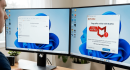
PC Users Seeing Ads On LG, Dell, And Alienware Monitors: How To Disable

Users of LG , Dell , and Alienware monitors have recently expressed frustration over manufacturers using dedicated Windows applications to display advertisements . This development follows previous criticism directed at LG for implementing ads on its smart televisions during standby mode. Automated Software Installation and Ads According to various reports shared by users on Reddit communities like PCMasterRace, companion applications such as the LG Monitor App Installerhave been updated to include promotional content. For instance, the LG application has been documented prompting users to install McAfee antivirus software . The primary issue stems from how these applications arrive on users systems . When a new monitor is connected, Windows automatically downloads and installs the manufacturers dedicated software . This automated process relies on integrated Windows systems designed to fetch the latest device drivers and management tools seamlessly. While Windows Update initiates this process to assist users , manufacturers are leveraging this mechanism to deliver promotional content without obtaining prior user permission . Because the software manages broad product lines, this ad behavior impacts all monitor models under the LG , Dell , and Alienware brands . Windows update silently installed LG bloatware, which causes a McAfee pop up by u/Mags_Smash in pcmasterrace Prevention and Mitigation Fortunately, once a user manually uninstalls the companion application , Windows does not automatically reinstall it. For users seeking a permanent, preventative solution , the automatic downloading of device-associated applications can be disabled via the Local Group Policy Editor in Windows : Right-click the Start menu and select Run . Type gpedit.msc and press Enter . Navigate to: Computer Configuration > Administrative Templates > System > Device Installation . Enable the policy titled Prevent automatic download of apps associated with metadata. While this configuration stops the unwanted software from installing , navigating the Local Group Policy Editor can be complex for less experienced individuals. Tech community members note that preventing these advertisements would ideally require manufacturers to stop utilizing essential hardware setup channels for advertising purposes. PC Users Seeing Ads On LG, Dell, And Alienware Monitors: How To Disable , original content from Ubergizmo . Read our Copyrights and terms of use .

9 Jul 2026 1:19 am